A pool check‑in app for HOAs
Residents and guests are checked in at the gate on a phone or tablet. Guests stop at your limit, households behind on dues are flagged, and the board gets a record of every visit.
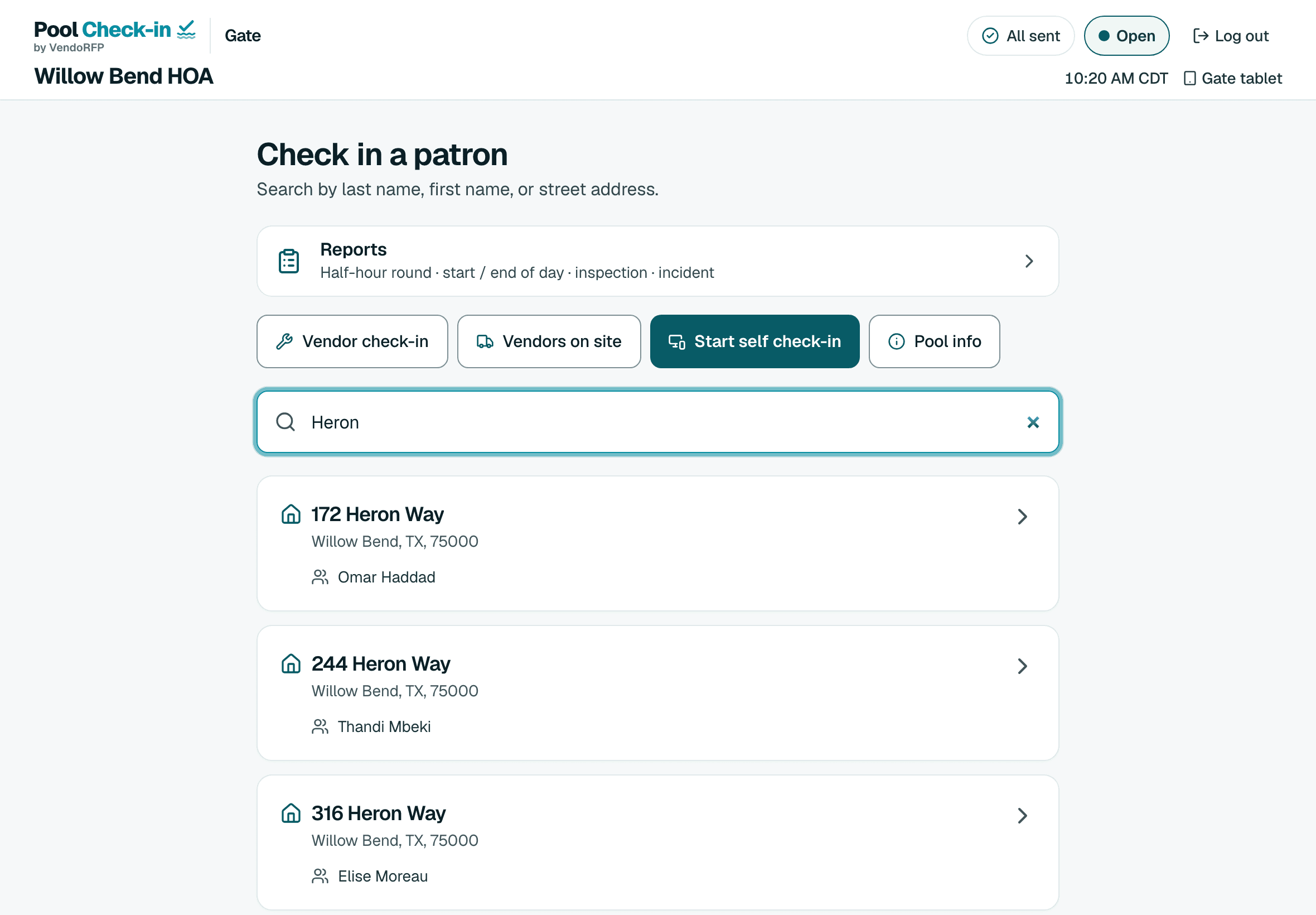
What a check‑in looks like
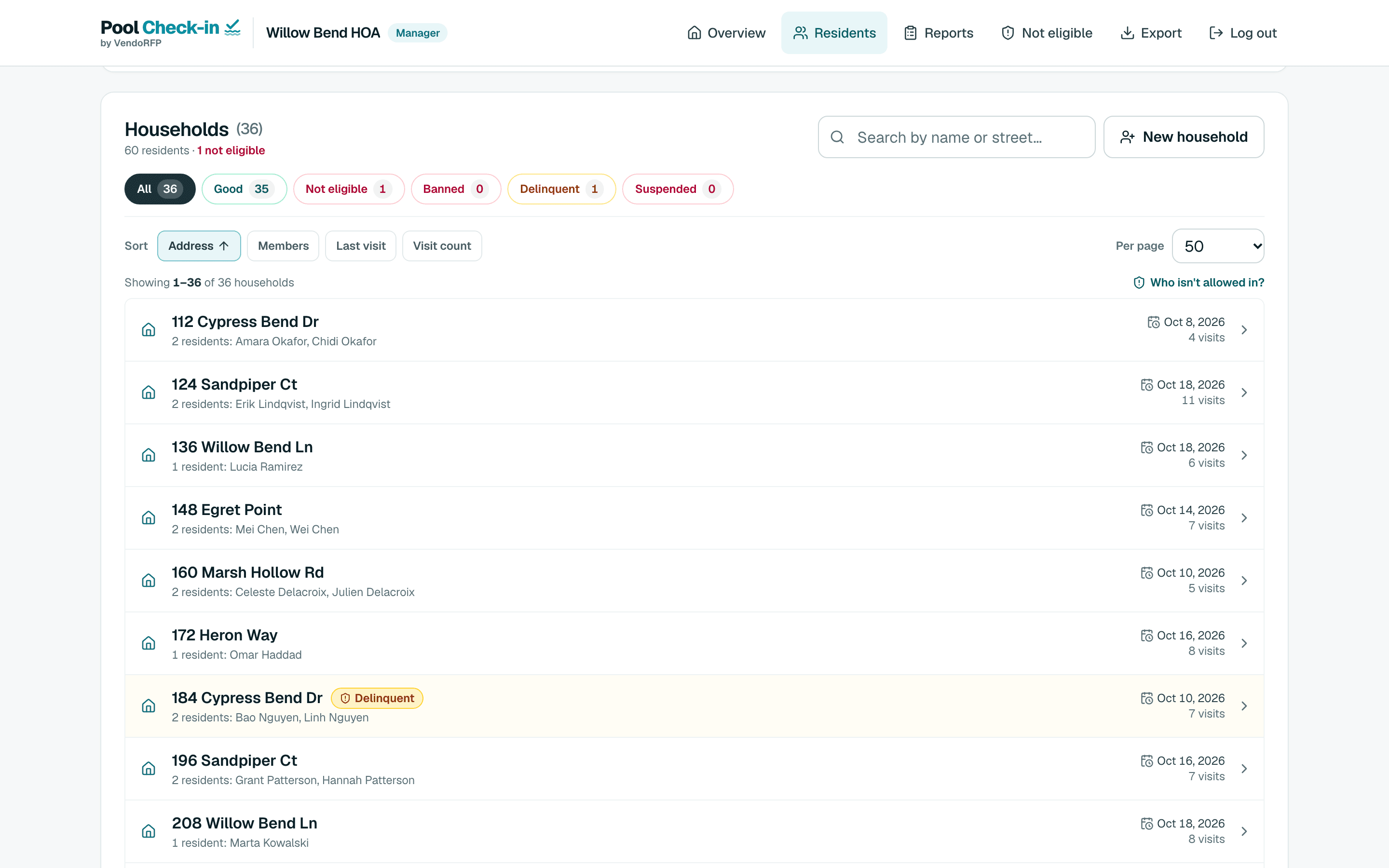
Whoever is at the gate searches by last name, first name or street and opens the household.
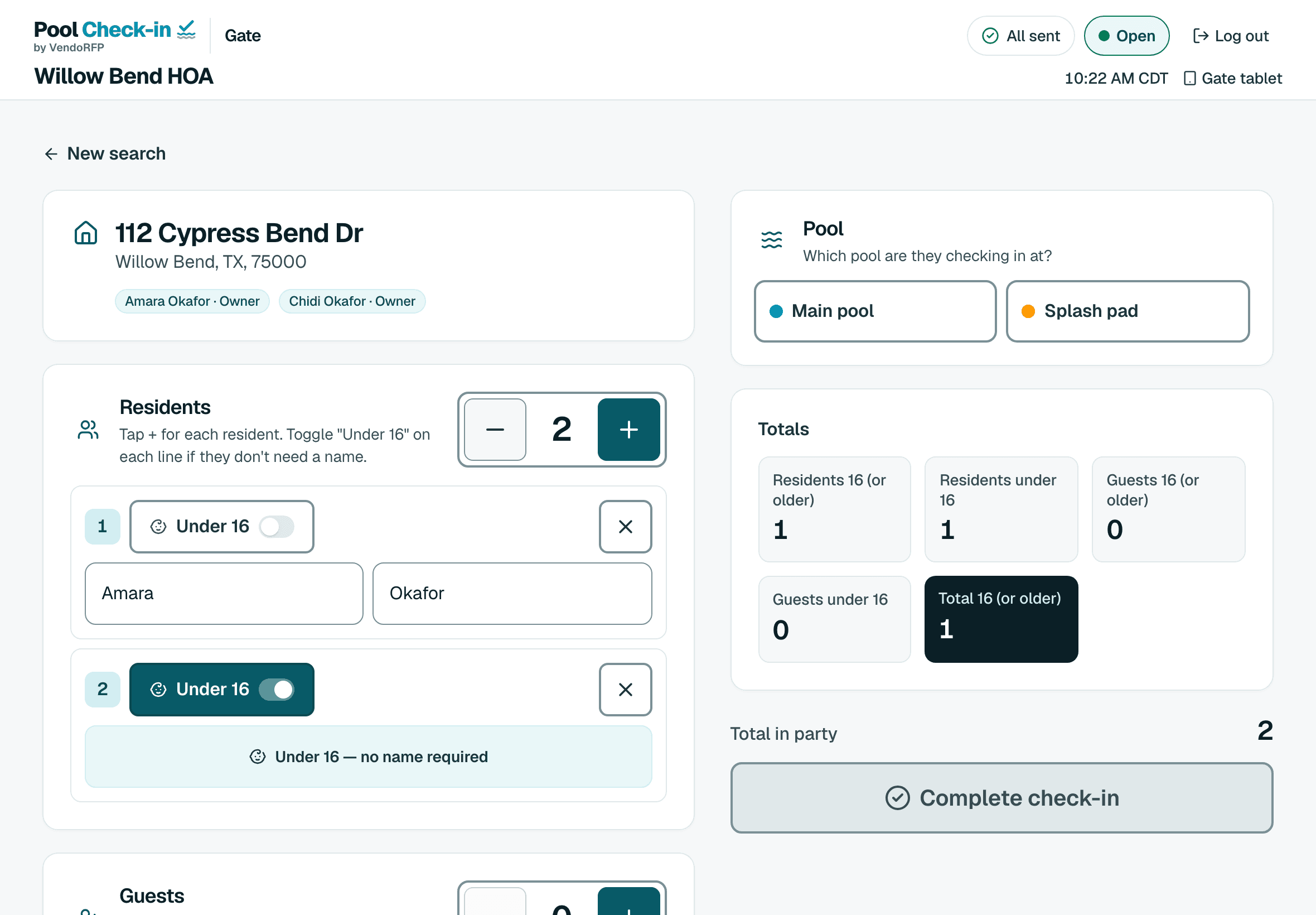
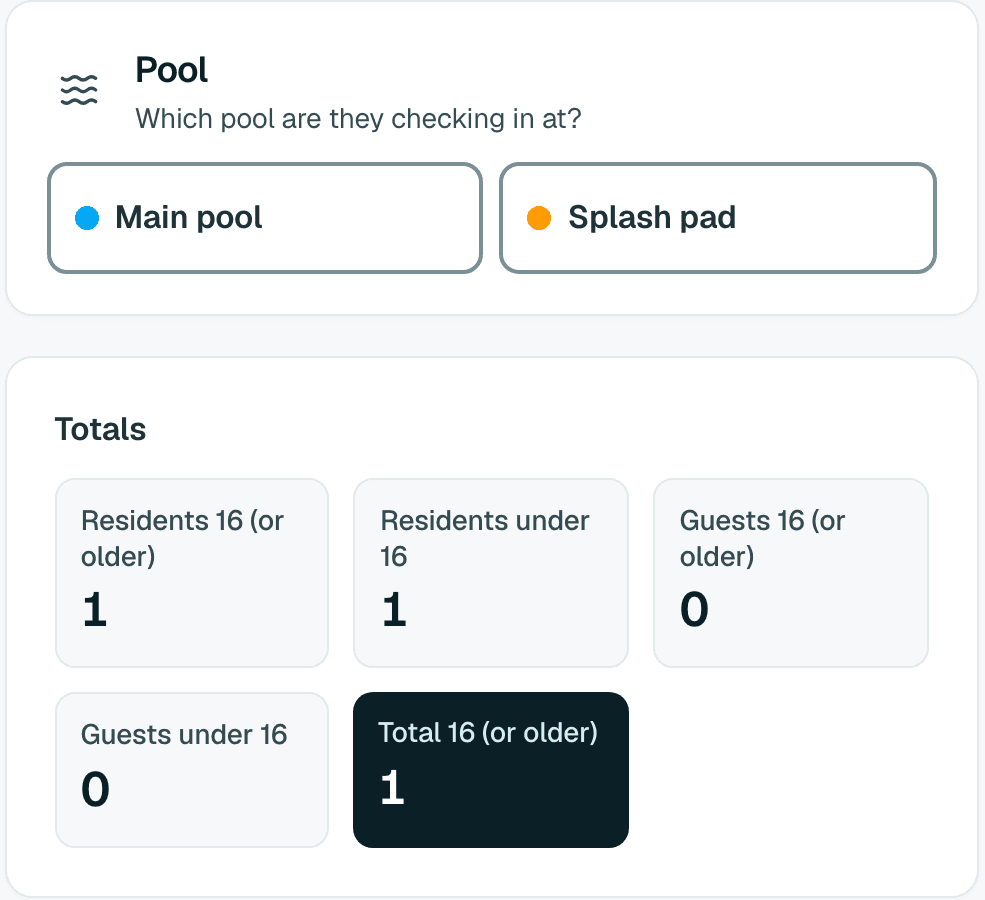
1. Pick the pool
Each check-in is tagged with the pool it was made at.
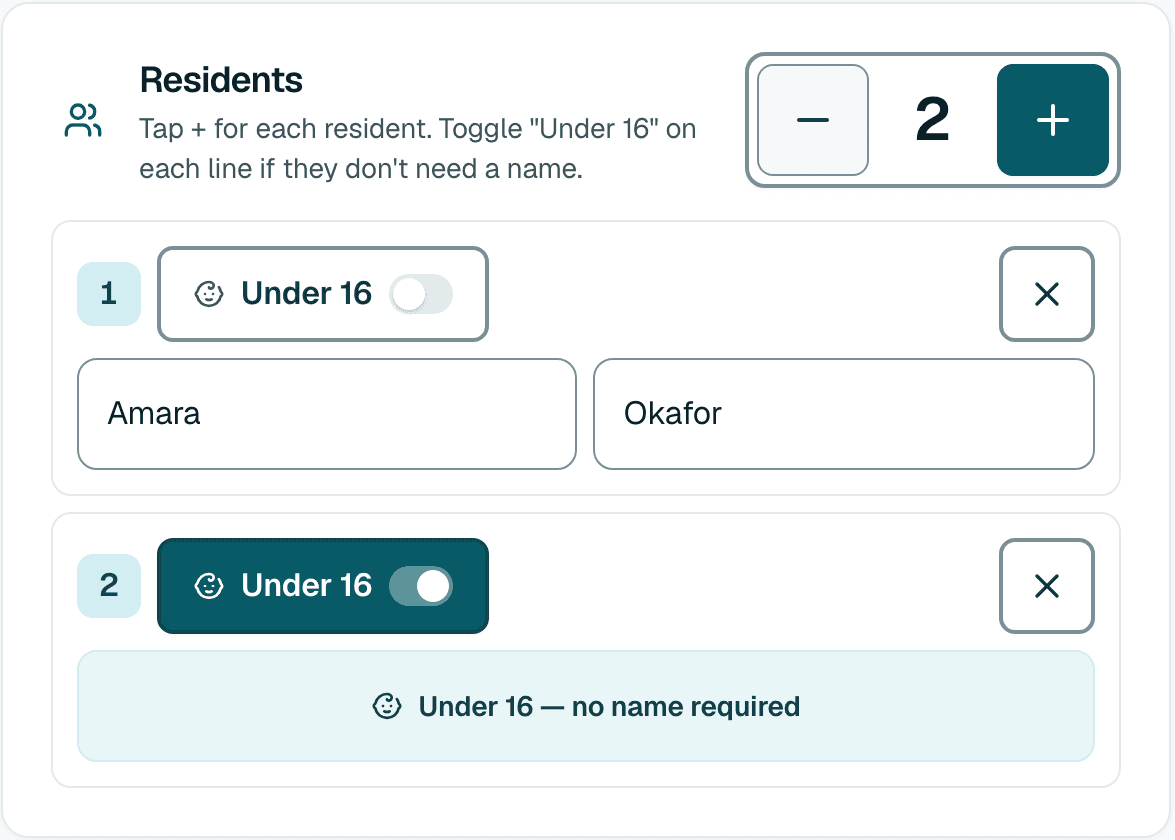
2. Tap who is here
Residents and guests are named, and children under 16 are counted.
3. Guests stop at your limit
You set the most one household may bring.
4. Hours are enforced
A check-in outside your hours for that day is refused.
What the board gets
Standing at the gate
Bar or suspend a household, or flag it for dues with a note the attendant sees. You can also bar one person without barring their family.

Your resident list, as it is
Upload the Excel or CSV file you already keep, or link a Google Sheet. The address and name columns are found for you, and you see a preview first. Residents are grouped by address, so a family that comes back after lunch shows up under the same household.

Download the log when the board asks
A manager exports the check-in log as a spreadsheet for any range of dates.
Bring your pool company along
If a pool monitoring or lifeguard company runs your pool, subscribe once and give their staff attendant sign-ins in your community. There is no extra charge for sign-ins.
Attendants check people in and file the reports your pool needs. They cannot open manager or administrator screens, and your manager sign-in still reads every check-in and report.
You stay in charge
Add or remove a sign-in whenever you want. The resident list, the hours and the records stay in your account.
Works when the wifi drops
Once the page is open, check-ins wait on the device and send themselves when it reconnects. Each one is recorded once.
Reports from the gate
Half-hour rounds, opening and closing checklists, inspections and incidents, with photos from the device’s camera.
An unstaffed gate
Put a tablet in a stand and residents check themselves in with a house number and last name, a household PIN or a printed QR card. Staff start it with one tap and a PIN ends it.
Not only for HOAs
The same app runs pools for apartment communities, condominiums, hotels, clubs, private beaches and the companies that staff pools. See who it’s for, or how HOAs run the gate.
Getting your pool running
1. Sign up
Sign up free. The Free plan covers one community with 1 pool and up to 2,000 households.
2. Add your residents and hours
Upload the resident file, then set the pool’s hours and your guest limit.
3. Register the gate device
On a phone or tablet, sign in and enter the PIN your administrator set. The device is registered once.
Questions from boards
What does a volunteer have to do?
Type a last name or a street, open the household and tap who is here. Each volunteer signs in with their own username, so every check-in shows who made it.
What if our resident list changes mid-season?
A manager uploads the new file, or syncs from a Google Sheet link. Every import is previewed before it is saved, a file with a dues column shows which households it would flag, and you can undo the last import for 24 hours.
Can the board see who came in?
Yes. Every check-in records the household, the pool, the time and the person who made it. A manager downloads the log as a spreadsheet for any range of dates.
More answers on the FAQ, or see how it works.
Set up your pool’s gate
Sign up free and set it up yourself. If you run a large portfolio, contact us.