HOA pool access for delinquent households
Many boards have to decide what happens at the pool gate when a household is behind on dues. This guide lays out the usual options and shows how Pool Check-in carries out the one you choose.
This is general information and not legal advice. Ask your association's attorney what your documents and state law allow.
Your board decides
Warn and record, or turn the household away. It is one setting for the community.
Notes for gate staff
A flag carries a reason and a note, such as a payment plan.
Import the list
Upload the delinquency report your software exports, and preview it first.
A record of overrides
When staff let a flagged household in, the check-in records it.
Start with your documents
Whether a board may limit pool use for unpaid assessments depends on the association's governing documents and on state law. Some documents spell out a process, such as notice and a hearing. Others are silent. Settle that question with the association's attorney before you change what happens at the gate.
Pool Check-in does not decide this for you. It applies the rule your board has adopted.
The options a board usually has
These are common approaches. Which one fits depends on your documents.
- Take no action at the gate and handle dues through the usual collection process.
- Warn gate staff and let the household in, with a record that staff chose to.
- Turn the household away until the account is resolved, and tell it who to contact.
- Allow a household on a payment plan, with a note that says so.
Warn and record, or turn away
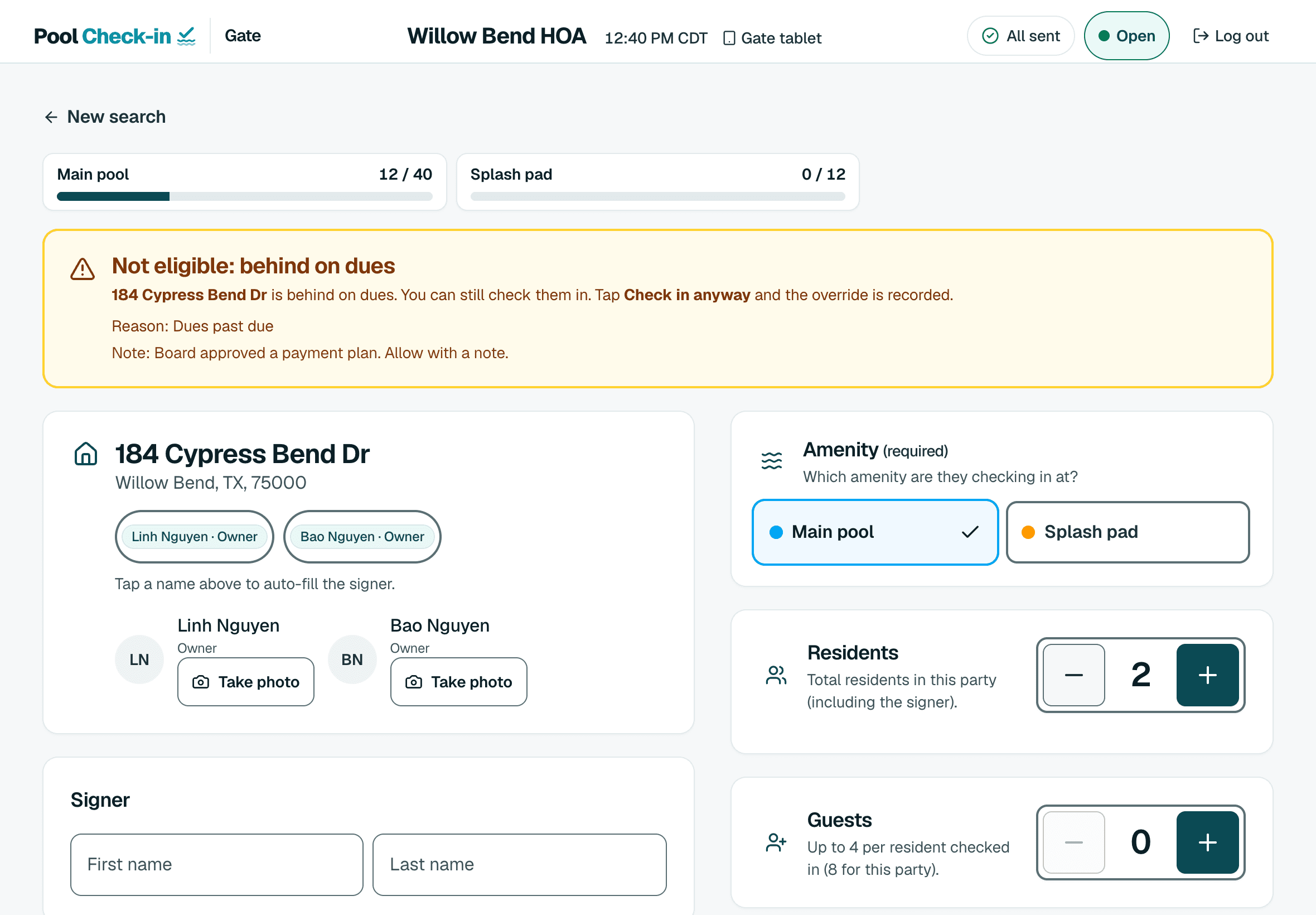
In Pool Check-in the choice is a setting in the community. By default a household behind on dues shows a warning with your reason and note, and gate staff can still check it in. The check-in records that staff went ahead.
If you turn the override off, a household behind on dues cannot be checked in. That holds on the tablet and from the tablet's saved copy of the resident list when the Wi-Fi is down. The self check-in kiosk always sends a household behind on dues to the pool staff, whichever way the override is set, and you can show a contact line on the kiosk for those households.
A household you have banned or suspended cannot be checked in either way. Dues are the only status the override changes.
Importing the delinquent list
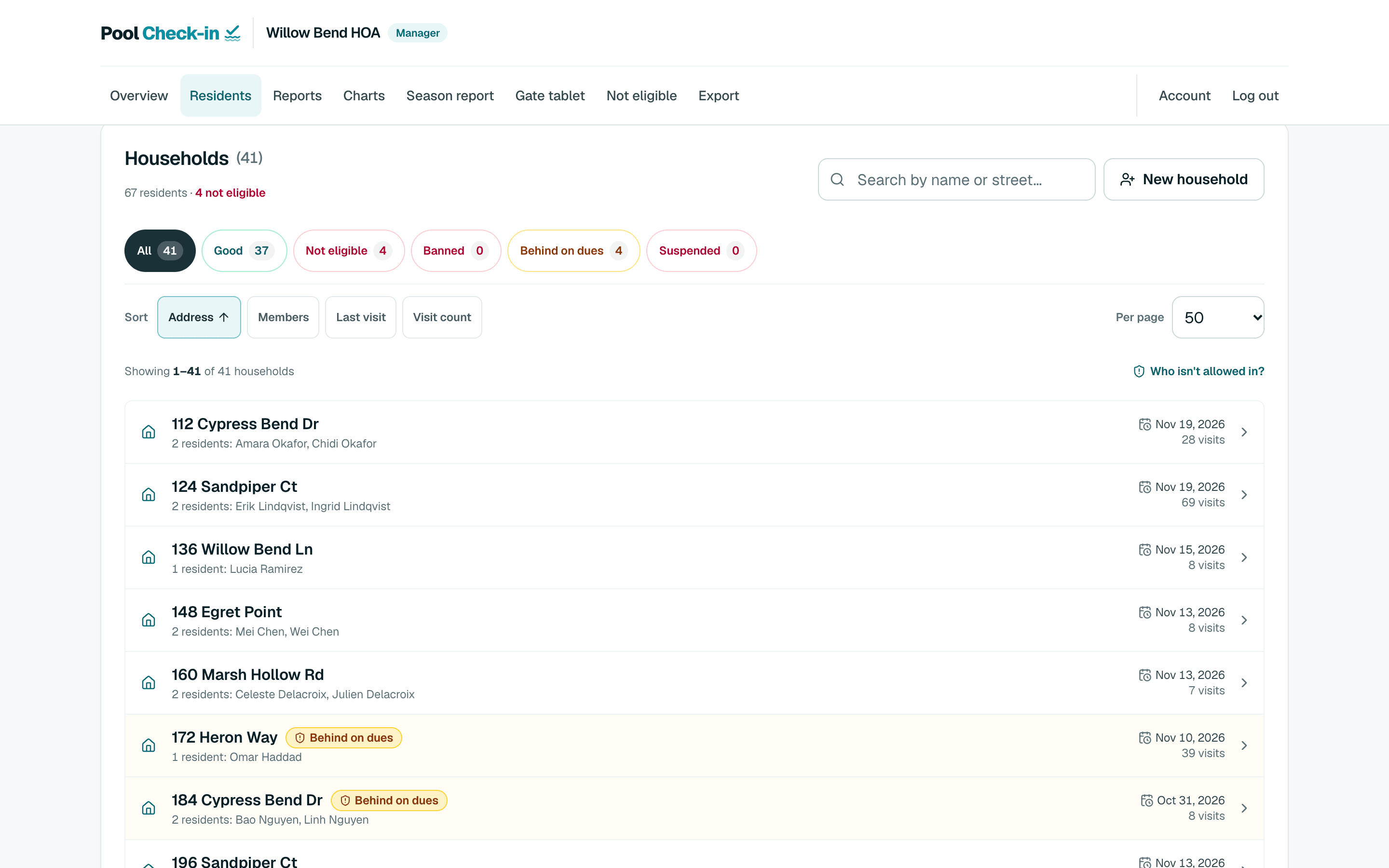
Most management software can export an aging or delinquency report. Upload it as a file on the residents page. The app reads the address and the status columns, turns a Collection Status column into the note gate staff see, and shows a preview of the households it would flag.
Nothing is flagged until you apply the preview. A flag from an import is kept separate from the bans and suspensions you set by hand, so a later import never undoes a ban. A resident list that already has a dues column is read the same way.
What gate staff see
Before anyone is checked in, a banner shows that the household is flagged, the reason and the board's note. Staff do not need to know the details of an account. They need to know what to do, so write the note as an instruction, such as allow with a note or send to the office.

Keeping the record
Managers see every flagged household on one page, and a check-in that staff let through anyway records that they did. A manager can clear a flag once the account is resolved.
Common questions
Can we choose between warning and turning away?
Yes. Each community has a setting. With the override on, gate staff see a warning with your note and can still check the household in, and the check-in records that they did. With it off, a household behind on dues cannot be checked in.
Does the setting apply when the tablet is offline?
Yes. When the override is off, the tablet turns a household behind on dues away from its saved copy of the resident list, and the server refuses it as well.
Can we import the list from our management software?
Yes. Upload an aging or delinquency report as a file. The preview shows who would be flagged, and nothing changes until you apply it.
Is this legal advice?
No. What a board may restrict depends on the state and on the association's governing documents, so ask the association's attorney.
Put your board's rule into practice
Create a free account, import your delinquent list with a preview and choose how the gate responds. For a portfolio of communities, schedule a call.