Pool pass software without the passes
Pool Check-in is pool pass software that runs on the phone, tablet or computer you already have. Residents are looked up by household, so there are no cards or fobs to print, replace or lose.
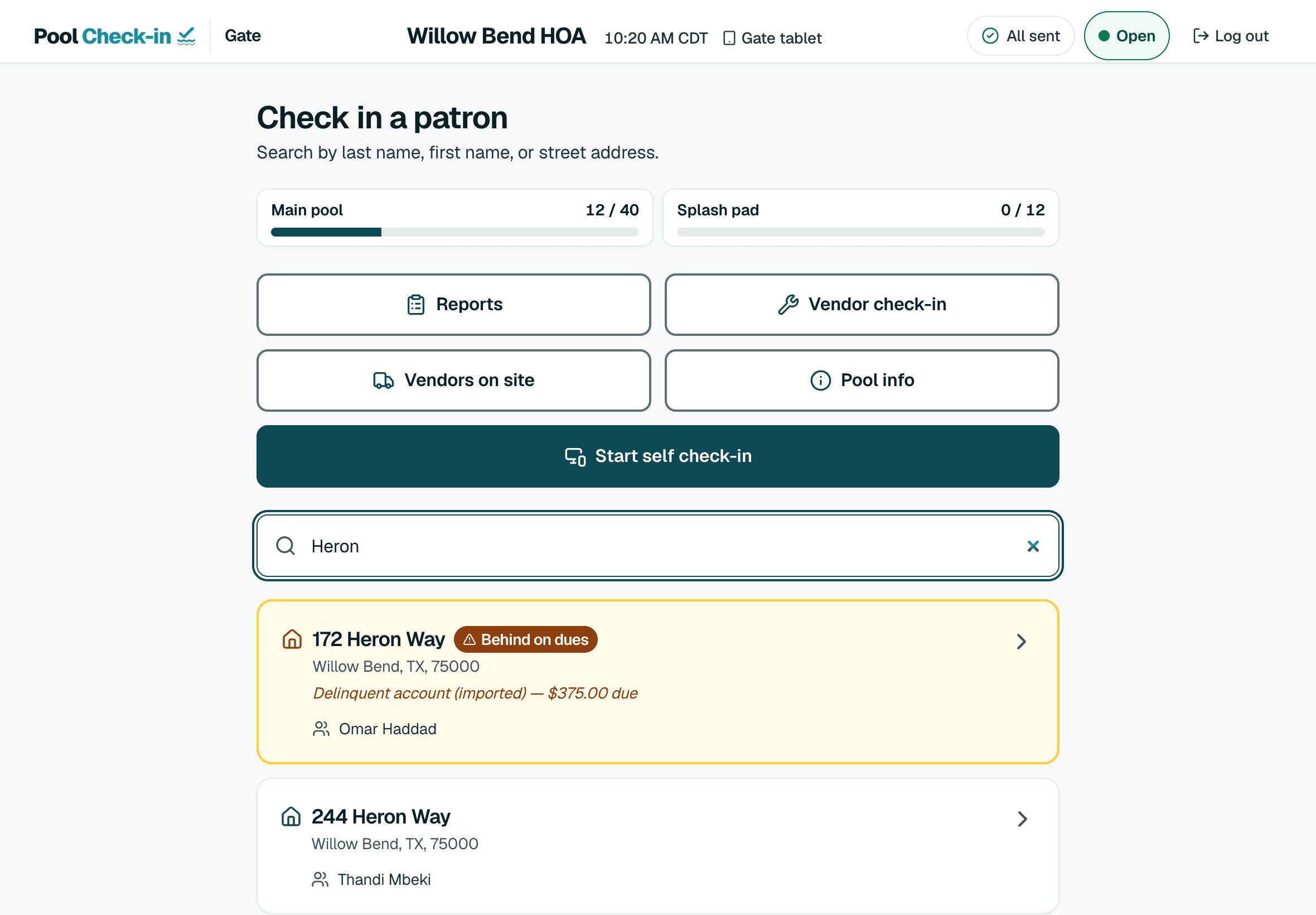
Household lookup
Search by last name, first name or street and check the whole party in.
Standing flags
Bans, suspensions and unpaid dues show before anyone is checked in.
Your own resident list
Upload Excel or CSV, or link a Google Sheet. You see a preview first.
A log for the board
Every visit records the household, the amenity, the time and who checked them in.
What pool pass software does
Pool pass software answers three questions at the gate. Is this household allowed in, how many people came with them, and is there a record. Many systems answer with a card, a fob or a phone pass. Pool Check-in answers with the household record itself.
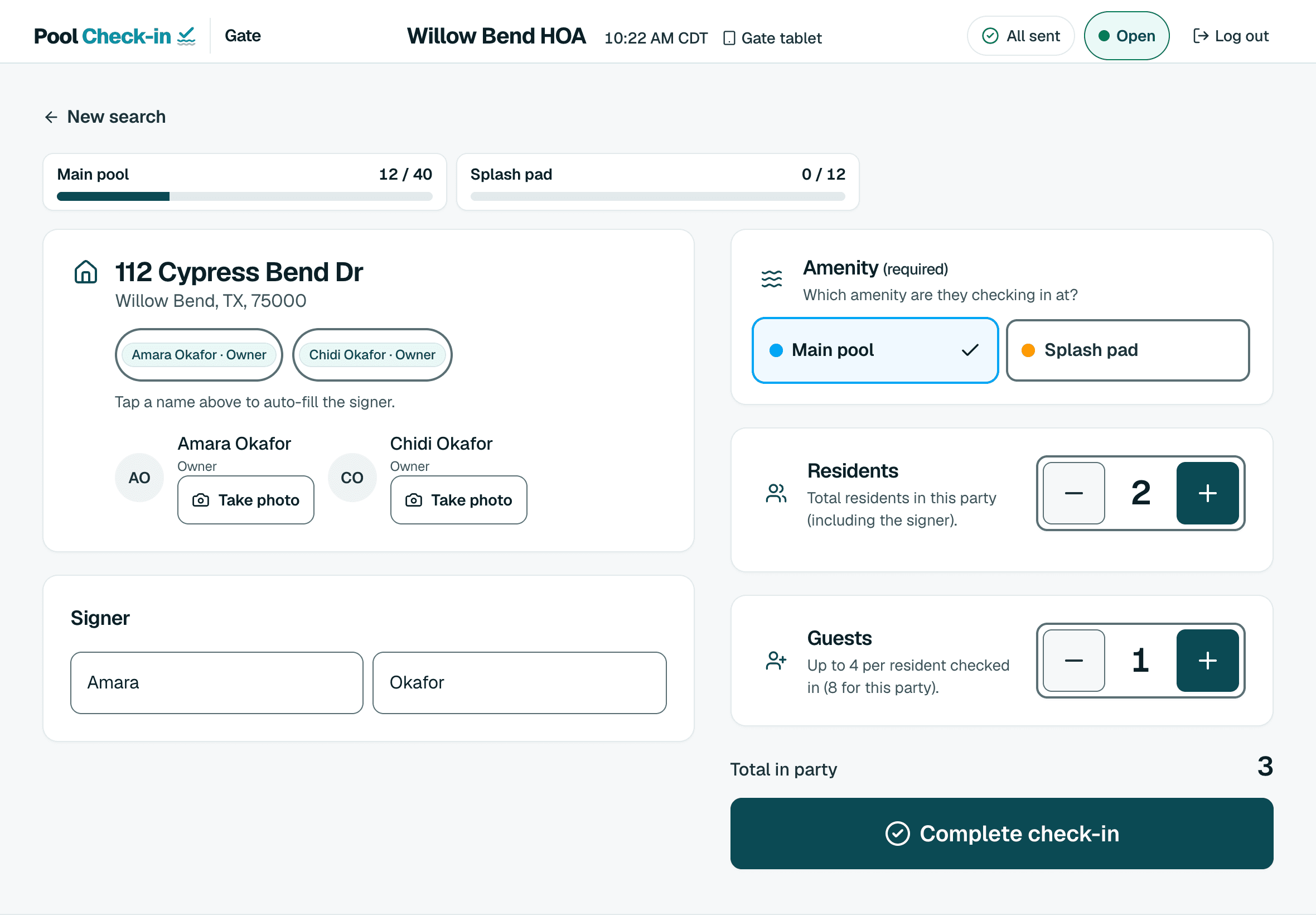
Gate staff open the household, tap who is here and finish. The app refuses a check-in outside your hours for that day and keeps guests within the limit you set for the household.
How it works at the gate
A volunteer, a lifeguard or a pool company's staff member signs in on a tablet or phone and registers it once with the gate PIN. From then on the steps are the same for everyone.
- Type a last name, a first name or a street.
- Open the household and choose the amenity.
- Enter how many residents and guests came.
- Complete the check-in. If the household is flagged, the reason and your note show first.
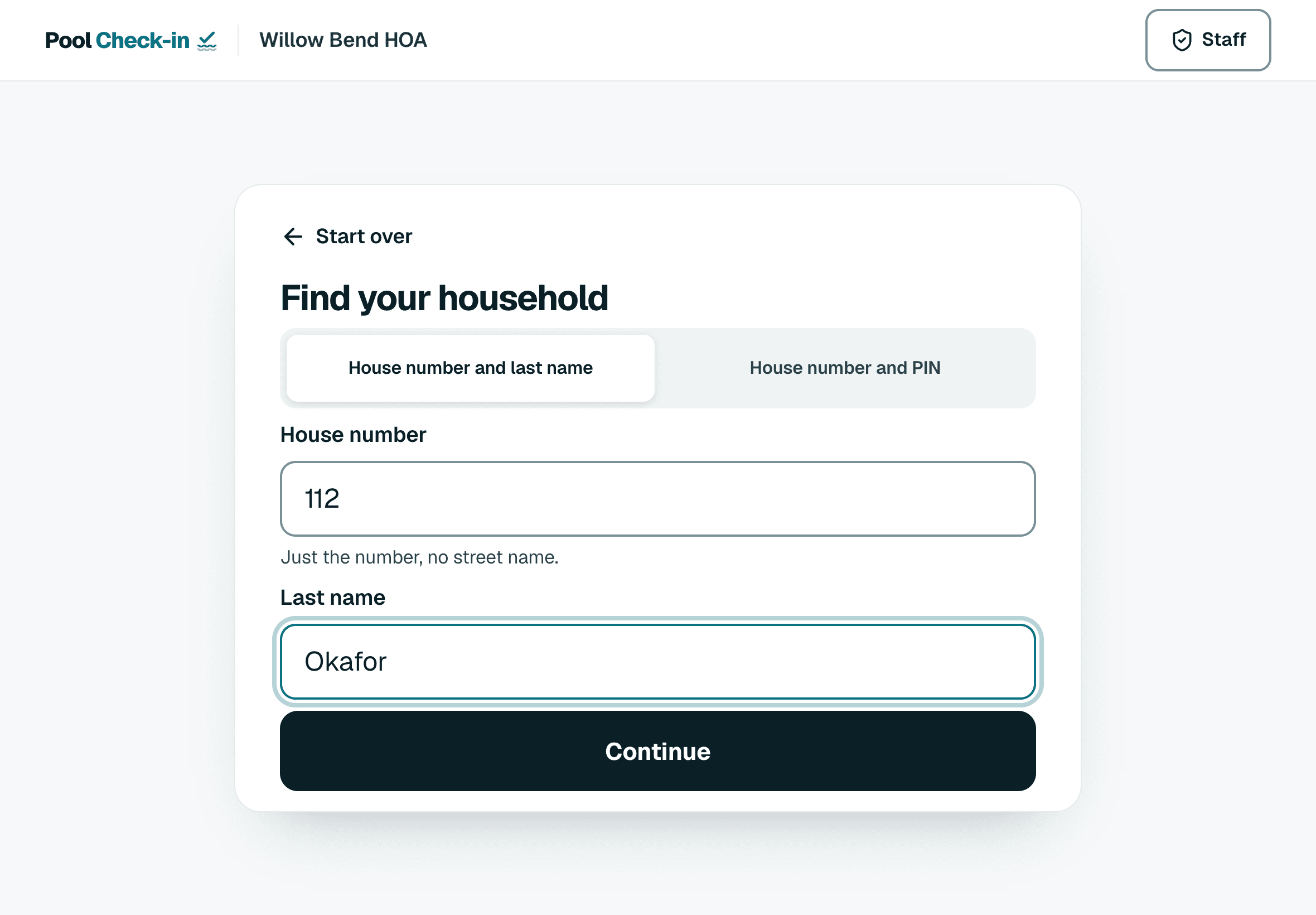
Passes for people who check themselves in
Put a tablet in a stand and turn on kiosk mode once the community has a gate PIN, and residents check themselves in with a house number and last name, a household PIN or a printed QR card. Only the gate PIN closes kiosk mode.
You can also put a check-in form on your own website. It asks for a house number and the household PIN. See the pages on the kiosk and on website widgets for how each one is set up.
What it does not do
Pool Check-in does not open a lock. If you need a turnstile or a door controller, you would use that hardware alongside a check-in record like this one.
Who uses it
HOAs, condominium associations, apartment communities, hotels, clubs and the companies that staff pools for others. Each community keeps its own resident list, hours and records, and a pool company can run many communities under one organization.
Common questions
Do residents need a pass, card or fob?
No. Gate staff look the household up by last name, first name or street. On a self check-in kiosk, residents use a house number and last name, a household PIN or an optional printed QR card.
Does it open the gate?
No. It is a check-in record and a set of rules for gate staff or a kiosk. It does not control a lock or a turnstile.
What do we need to start?
A resident list in Excel or CSV, or a Google Sheet link, and a phone, tablet or computer with a web browser. Nothing to install.
Try it on your own pool
Create a free account, upload your resident list and check in your first household today. If you run a large portfolio, schedule a call.