Pool capacity tracker with check-out
Give each pool or amenity a capacity. With check-out turned on, gate staff check parties in and out on the tablet and see how many people are there now.
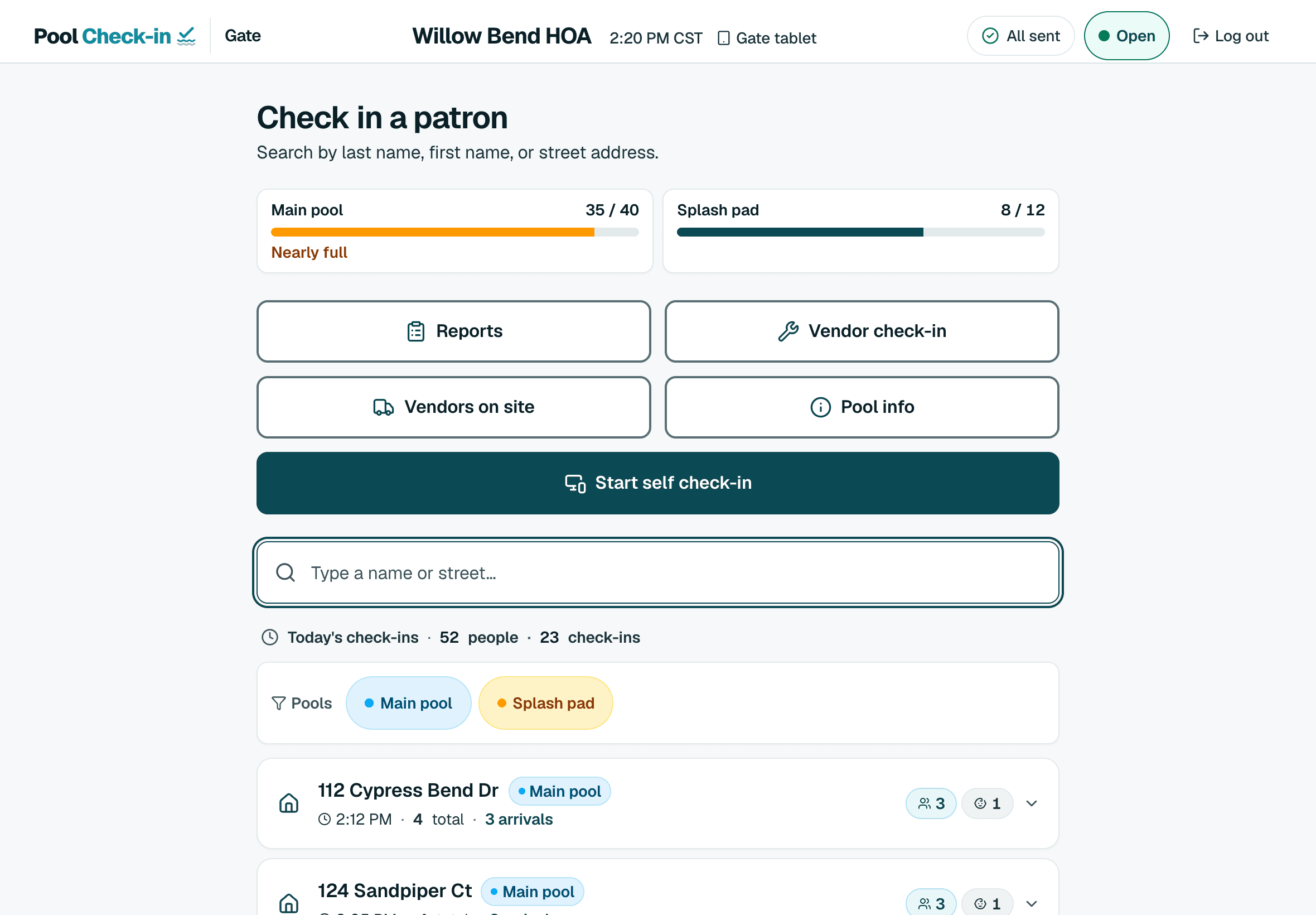
A count for each amenity
With check-out on, the tablet shows people present against the capacity you set.
Check-out in today's log
One tap on a party in today's log takes them out of the count.
Marks when it fills
An amenity is marked Nearly full and then At capacity.
Optional website meter
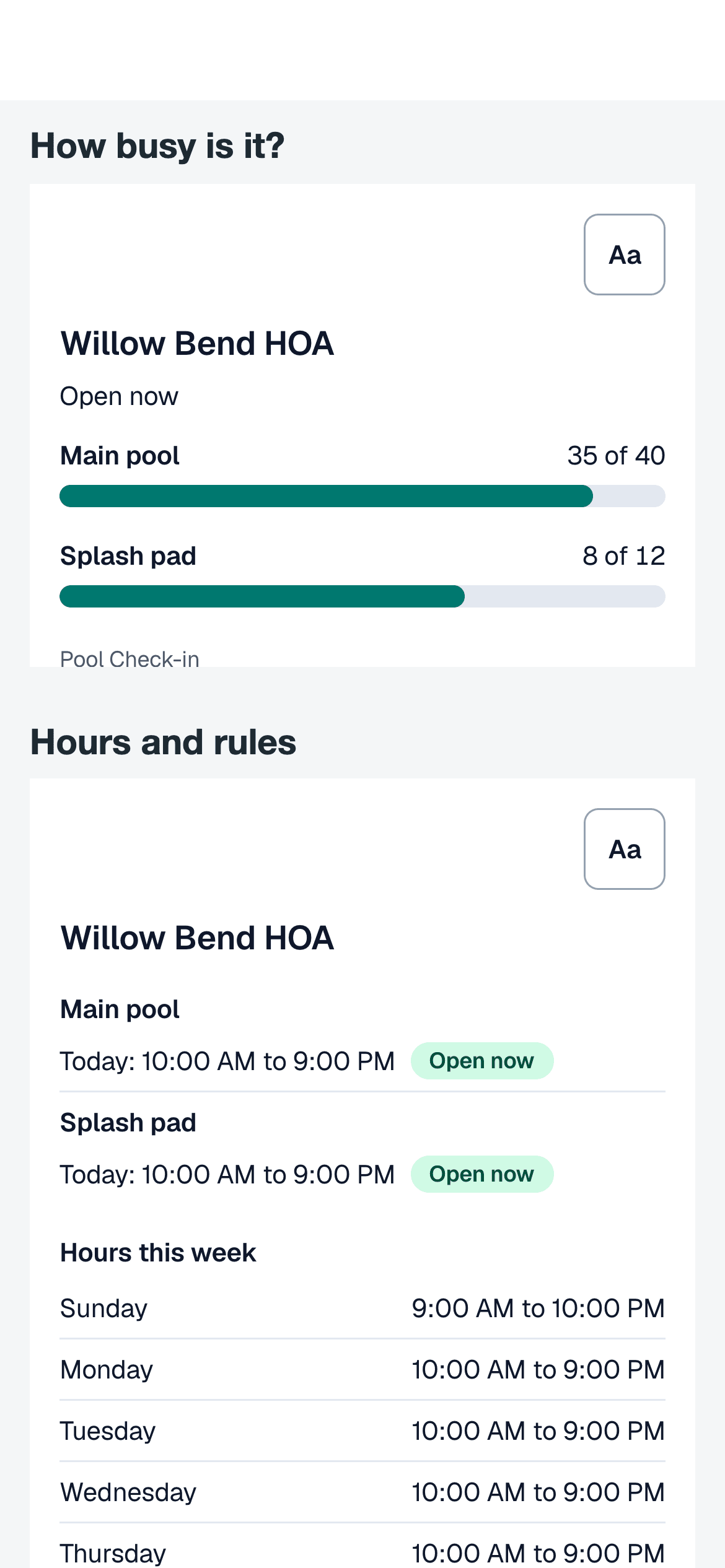
A widget shows the live count to residents on your own site.
How the count works
The count is the number of people from parties checked in today and not yet checked out. It starts again at midnight. When staff check a party out, the count goes down by that party. Residents and walk-ins can both be checked out.
Capacity is set for each amenity, so a main pool, a spa and a splash pad each have their own number and their own meter.
Setting it up
Both settings are made in the community settings.
- Turn on check-out in the community settings.
- Enter a capacity for each amenity in the community settings.
- Gate staff will see the meters on the tablet, and a Check out button beside each party in today's log.
On the tablet
The tablet shows a meter for each amenity with its count against its capacity, and a label when the amenity is nearly full or at capacity. A check-out tapped while the Wi-Fi is down waits on the tablet and is sent when the connection is back.
On your website
The capacity widget is a small frame you paste into your community website. It shows the current count for each amenity and refreshes about every minute. It is on only when you turn it on for the community, and it needs check-out to be on.
The widget shows counts and names. It does not show residents, addresses or any other record.
What the count is for
The count helps staff and residents see how busy a pool is. It is not a safety system or a legal occupancy record. Your pool's permitted occupancy comes from your local rules, so follow those.
Common questions
Does Pool Check-in stop check-ins when a pool is full?
No. The count and the meter are for information. The tablet marks an amenity Nearly full or At capacity, and staff decide what to do. Nothing is refused because of the count.
How accurate is the count?
It is as accurate as the check-outs. Anyone who is checked in and never checked out stays in the count until the end of the day, so the count is a working figure for staff and not a legal head count.
Can residents see the count?
Only if you put the capacity widget on your website. It shows the count for each amenity, including when the amenity is empty.
Who sets the capacity?
An owner enters a capacity for each amenity in the community settings. An amenity with no capacity shows the count without a meter.
Know how busy the pool is
Create a free account, set a capacity for each amenity and turn on check-out. If you run several pools, schedule a call.